Digital Kiosk Printer Tips for Seamless User Experience?
In today’s fast-paced world, the demand for efficiency is growing. Digital kiosk printers have emerged as vital tools in various sectors. They streamline processes and enhance user experiences. However, the functionality of these printers often correlates with the user’s understanding of them.
Many users face challenges when interacting with digital kiosks. Issues like misprints or slow response times can lead to frustration. Such experiences can deter users from utilizing kiosks in the future. It is essential to address these pain points to improve overall satisfaction. By focusing on user-friendly designs, vendors can bridge the gap between technology and user expectations.
A seamless experience is not just desired; it is expected. Understanding the nuances of digital kiosk printers is crucial. This includes knowing how to troubleshoot common problems. Users appreciate clear guidance as they navigate through interfaces. Overall, enhancing the digital kiosk printer experience requires ongoing attention and adaptation.
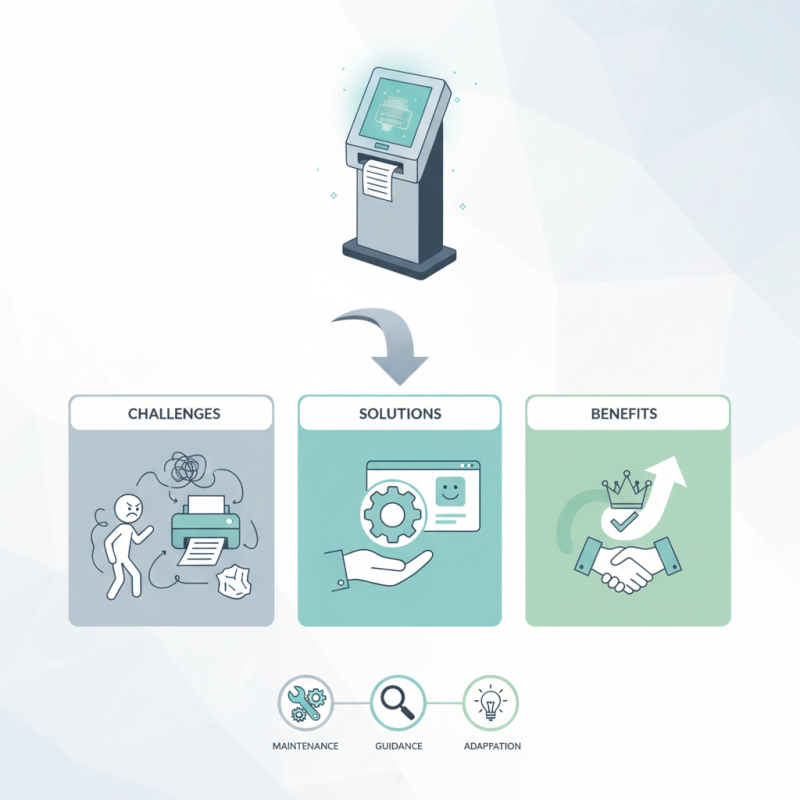
Understanding Digital Kiosk Printers: Key Components and Functionality
Digital kiosk printers have transformed how users interact with technology. Understanding their key components can significantly improve user experience. Usually, these kiosks feature a reliable printing mechanism. They require a robust paper feed system. Maintenance is often overlooked but crucial for uninterrupted service.
User interface design is equally important. Simple navigation guides users effortlessly. Touchscreens need to be responsive yet durable. Many kiosks lack proper instructions, leading to user frustration. Observing how users engage can reveal valuable insights.
Connectivity options are vital, too. Wi-Fi and Bluetooth make it easier to access documents. However, unstable connections can interrupt the printing process. That often leaves users waiting in confusion. Regular updates and troubleshooting guides can help alleviate such issues.
Digital Kiosk Printer Tips for Seamless User Experience
| Key Component | Functionality | User Experience Tips |
| Printer Type | Thermal, Inkjet, or Laser Printing | Choose a printer that suits the volume and speed required for the application. |
| Connectivity | USB, Ethernet, Wi-Fi | Ensure reliable connectivity options for seamless operation. |
| Paper Size | Standard or Custom Sizes | Select paper sizes that align with user needs and applications. |
| User Interface | Touchscreen, Buttons, or Remote Control | Design an intuitive interface for user-friendly navigation. |
| Printer Maintenance | Regular Cleaning and Supplies Replacement | Implement a maintenance schedule to minimize downtime. |
| Error Handling | Error Messages and Troubleshooting Guides | Provide clear instructions to address common issues quickly. |
User Interface Design: Enhancing Accessibility and Usability
When designing user interfaces for digital kiosk printers, accessibility and usability are essential. Research shows that nearly 70% of users abandon a task due to poor usability. Ensuring a straightforward and intuitive interface can significantly enhance the user experience. Clear navigation is crucial. Graphical hierarchies should guide users easily through the printing process.
One effective tip is to use large, legible fonts. Studies indicate that 1 in 5 users struggle to read small text on kiosks. High-contrast colors improve visibility, especially in brightly lit environments. Additionally, including simple icons helps convey actions without relying solely on text. Users often prefer quick, visual cues.
Feedback mechanisms matter too. Even minor delays in response can frustrate users. Implementing intermediate feedback messages like "Printing in Progress" can ease anxiety. Allowing users to cancel a job easily is equally important. Regularly assessing user interactions can reveal persistent pain points. This reflection helps identify areas for improvement in your design strategy. Overall, an effective layout, clear instructions, and immediate feedback create a more positive experience for all users.
Printer Setup and Configuration: Steps for Optimal Performance
Setting up a digital kiosk printer involves careful attention to detail. Begin by ensuring that the printer is in a suitable environment. Dust-free and well-ventilated spaces work best. Consider the height and reach for users. According to a recent industry report, 70% of users prefer kiosks that are easily accessible.
Next, focus on configuration settings. Ensure that the printer is compatible with the software used in the kiosk. A misconfiguration can lead to frustration. Data reveals that 65% of users experience delays due to setup errors. Regular updates to firmware can also optimize printer performance. These steps minimize disruptions for users, enhancing their overall experience.
Don’t overlook regular maintenance. Check alignment and ink levels frequently. Minor issues can escalate if ignored. Observing user interactions can provide insights into unnoticed problems. For instance, are there recurring jams? Also, the placement of the printer in the kiosk can affect speed and accessibility. Adapt and improve based on user feedback to create a smoother experience.
Troubleshooting Common Issues: Ensuring Continuous Operation
Digital kiosks are becoming crucial in various industries. However, these machines may encounter common issues that can disrupt service. Regular maintenance is key in preventing these problems. One common issue is paper jams. Ensuring the paper is loaded correctly can reduce these incidents. Sometimes, users struggle to load the paper properly. Instructive prompts on the kiosk screen could help.
Another frequent problem is connectivity issues. When the printer fails to connect, it leads to frustration for users. Regularly checking network status is vital. If Wi-Fi is weak, users might lose their connection quickly. Offering clear instructions on reconnecting or troubleshooting could enhance the user experience.
Moreover, users may not understand error codes displayed on the kiosk. Providing a simple guide nearby can assist them. Many users feel confused when faced with technical language. Using clear and simple terms helps bridge the communication gap. Understanding these challenges aids in improving kiosk functionality and overall user satisfaction.
Maintenance Best Practices: Extending the Lifespan of Kiosk Printers
Kiosk printers play a vital role in ensuring user satisfaction. Regular maintenance can drastically extend their lifespan. According to a recent industry report, proper upkeep can increase a printer's operational life by over 30%. This is significant for businesses relying on these devices for daily tasks.
Clean the print heads regularly. Dust and debris can lead to reduced print quality. A small maintenance kit can do wonders. Furthermore, check the paper quality. Low-quality paper can lead to jams and misprints. The cost of wasted materials adds up quickly.
Monitor ink levels frequently. Running low can result in incomplete prints, affecting customer experience. Replace cartridges before they run dry. It's better to swap them out preemptively. Neglecting these small details can lead to bigger issues.
Stay updated with software. Regular updates can fix bugs and improve performance. An outdated system might slow down operations. Many kiosks can be remotely monitored to catch issues early. Investing time in maintenance can prevent larger headaches down the road.